We’ve updated Modus to v1.3. There is a new feature that allows side chaining of external audio into the Plates configuration.
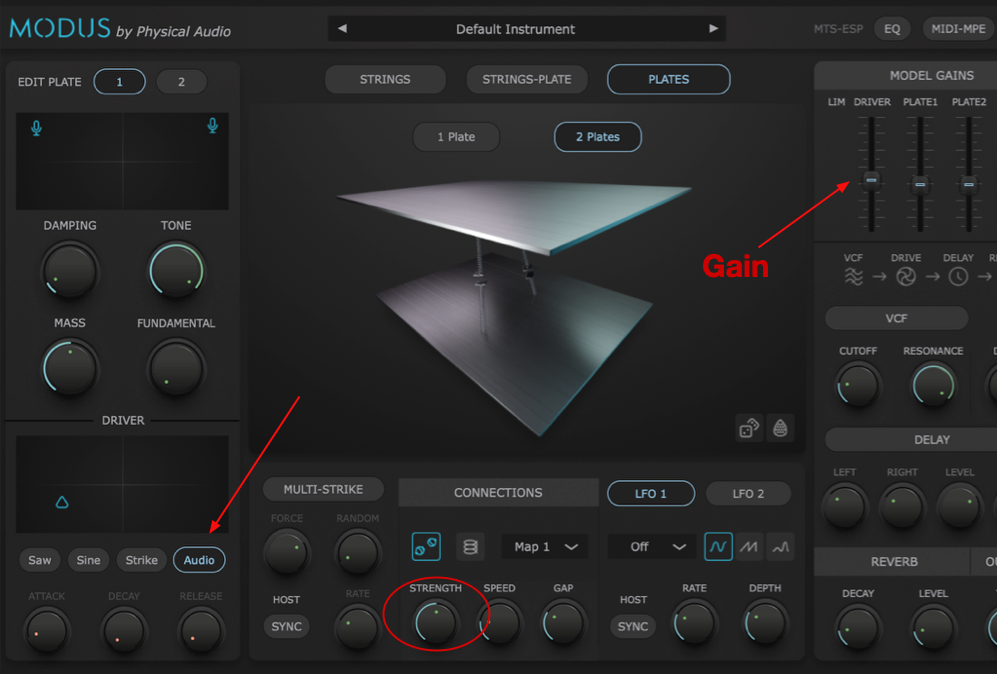
With the Plates selected, you click the Audio button in the Driver section. The gain can be controlled using the Driver gain slider in the mixer. Nonlinear effects are varied using the Strength control.
The set up for getting the audio into the plugin depends on the DAW, but the general idea is to have an audio track producing sound and then route that into the Instrument.
In Logic Pro, the side chain box appears in the right of the menu section at the top of the plug-in window.

Ableton Live has a Sidechain menu box at the top-left of the plug-in set up area.

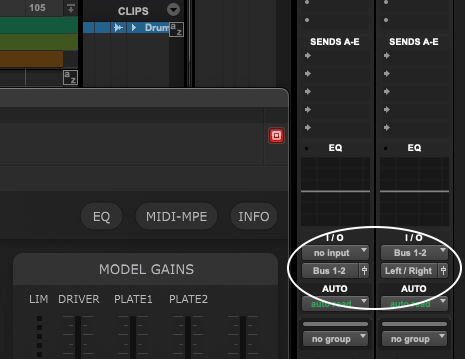
In Pro Tools start by sending the output of an audio track to a Bus (i.e. Bus 1-2 Stereo), using the I/O settings in the Mixer window. Then with Modus loaded on an Instrument track, set the Input to the same Bus.
In Bitwig there should be a small sidechain icon in the plug-in set up area. Select the audio track there.

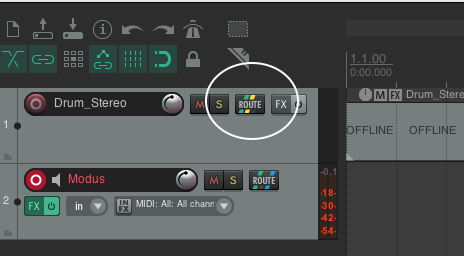
In Reaper, click the ROUTE button in the Audio track, then select ADD NEW SEND and route to Modus.